
Features in OpSynk
All OpSynk features in one place: work orders, inspection rounds, scheduling, time reporting, materials, invoice basis and client records, in a web app for the office and a mobile app for iOS and Android.

Work orders
The work order is the hub of OpSynk. See how it flows from office to field and back on the work order app page.
- work orders with client, address, contact person, description and tasks
- status per task, and who completed the job and when
- one or more staff per visit
- recurring work orders weekly, monthly or yearly at any interval
- photos in the app attached to tasks, and notes with attachments
- completed work orders as PDF
Inspection rounds and checklists
With the inspection rounds add-on your staff carry out rounds with checklists on their phones, often on behalf of a client who then receives the report.
- grouped checklists where each checkpoint is passed or failed
- your own checklists saved as templates and reused
- deviations with a comment and photo on each checkpoint
- a work order created from the round, with one task per deviation
- the round report shared with the client by link, no login needed
- the round as a PDF report
Scheduling
You schedule by hand with drag and drop, so you decide who does what. More on the scheduling page.
- a scheduling calendar with drag and drop
- an employee planner with staff in rows and days in columns
- a pool of unscheduled jobs, also visible to staff in the app
- changes appear in the worker's app straight away
Time reporting and materials
- time reporting on the job in the app, with start, stop and comment
- price groups with different hourly rates
- fixed price per visit as an alternative to time and materials
- an article register with cost price, sales price, unit and category
- materials logged on the job in the app
Invoice basis
Time, materials and fixed prices from completed jobs are collected into an invoice basis per client, for example for a month. Download it as a PDF and track its status: not sent, sent or paid. OpSynk produces the invoice basis, not the invoice, and has no accounting integration today.
Client records
Every job belongs to a client in your client records.
- companies and private persons, with identity number, billing address and invoice e-mail
- several contact persons per client
- documents and images on the client, with control over what shows in the app
- notes, zones drawn on the map, and a work address per job
- CSV import of clients and staff
Mobile app and collaboration
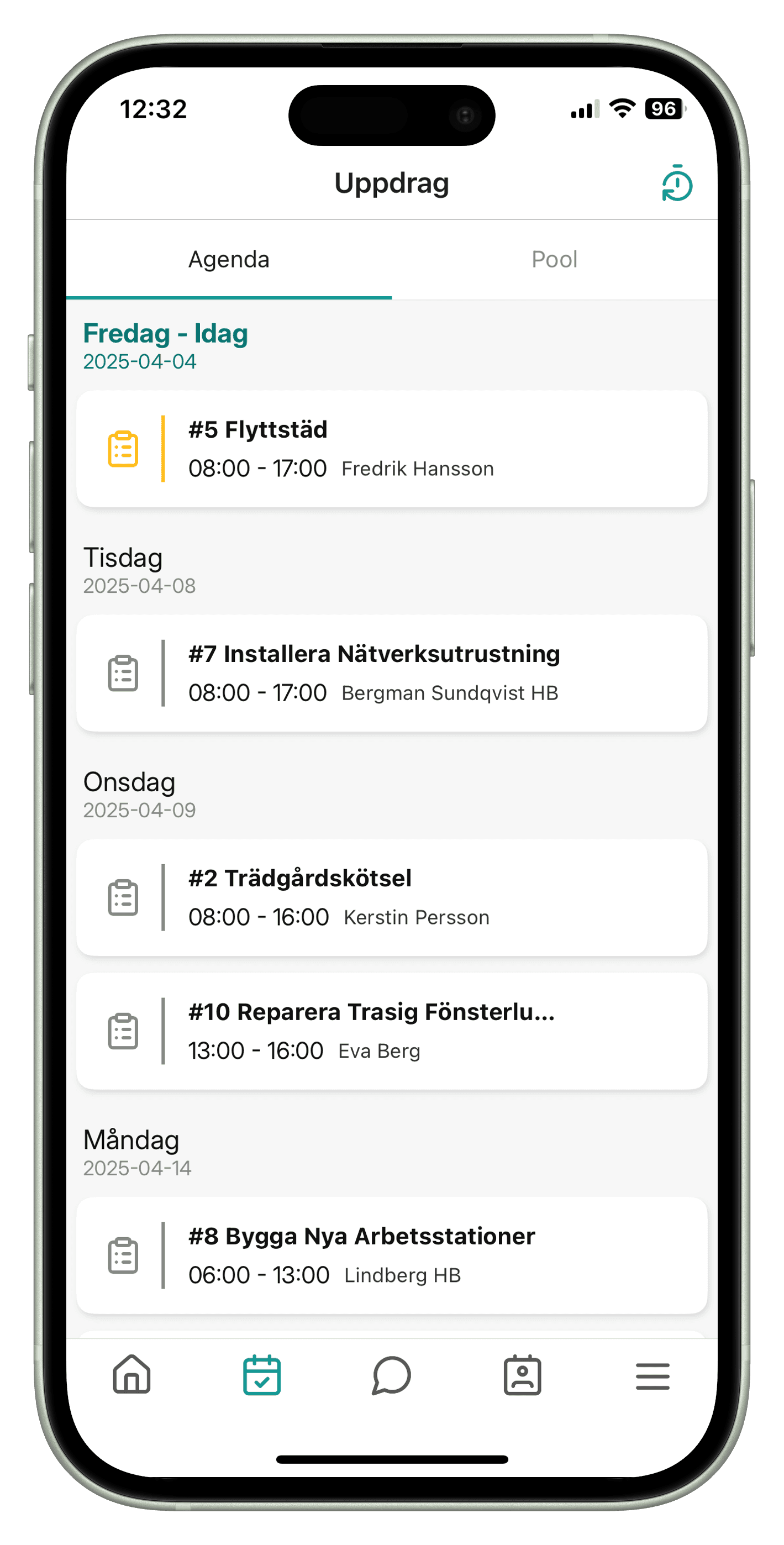
- a mobile app for iOS and Android with agenda, job details and directions in the phone's maps app
- built-in chat between office and field
- push notifications in the app for new and changed jobs and chat messages
- real-time updates in the web app
- Swedish and English, and a time zone per user
- custom roles with detailed permissions
- support tickets inside the system
- statistics on jobs, time and clients
The app needs an internet connection to sync.
Add-ons
Inspection rounds (Rondering)
Checklist rounds, deviations, work orders from deviations and a report shared by link.
Clock in and out (Tidsstämpling)
Clocking in and out for the working day, on top of time reported per job.
Quotes (Offert)
Quotes the client accepts or declines by link without logging in, also as PDF.
Features for your trade
Frequently asked questions
Does the app work offline?
No, the app needs an internet connection to sync. When connected, changes appear straight away between office and app.
Does OpSynk integrate with accounting software?
Not today. OpSynk produces the invoice basis as a PDF, and you create the invoice in your own accounting system. There is no public API.
Can we track stock levels?
No. You have an article register and log materials on jobs so they reach the invoice basis, but OpSynk does not track stock on hand.
How can we try the features?
Try a demo straight away in your browser. It opens an empty demo account where you add your own clients and jobs. File uploads and client import are switched off in the demo.
Try the features yourself
Open a demo in your browser and set up a client, a work order and an invoice basis.