Skip to content

Work orders · Inspection rounds · Scheduling

Work orders, inspection rounds and scheduling in one system for service companies

Plan jobs on the web, let your team report time, materials and photos on their phones, and create the invoice basis when the job is done. Share inspection reports with clients through a link.

See how it works
  • Mobile app for iOS and Android
  • Changes show up instantly in the field and the office
  • From work order to invoice basis
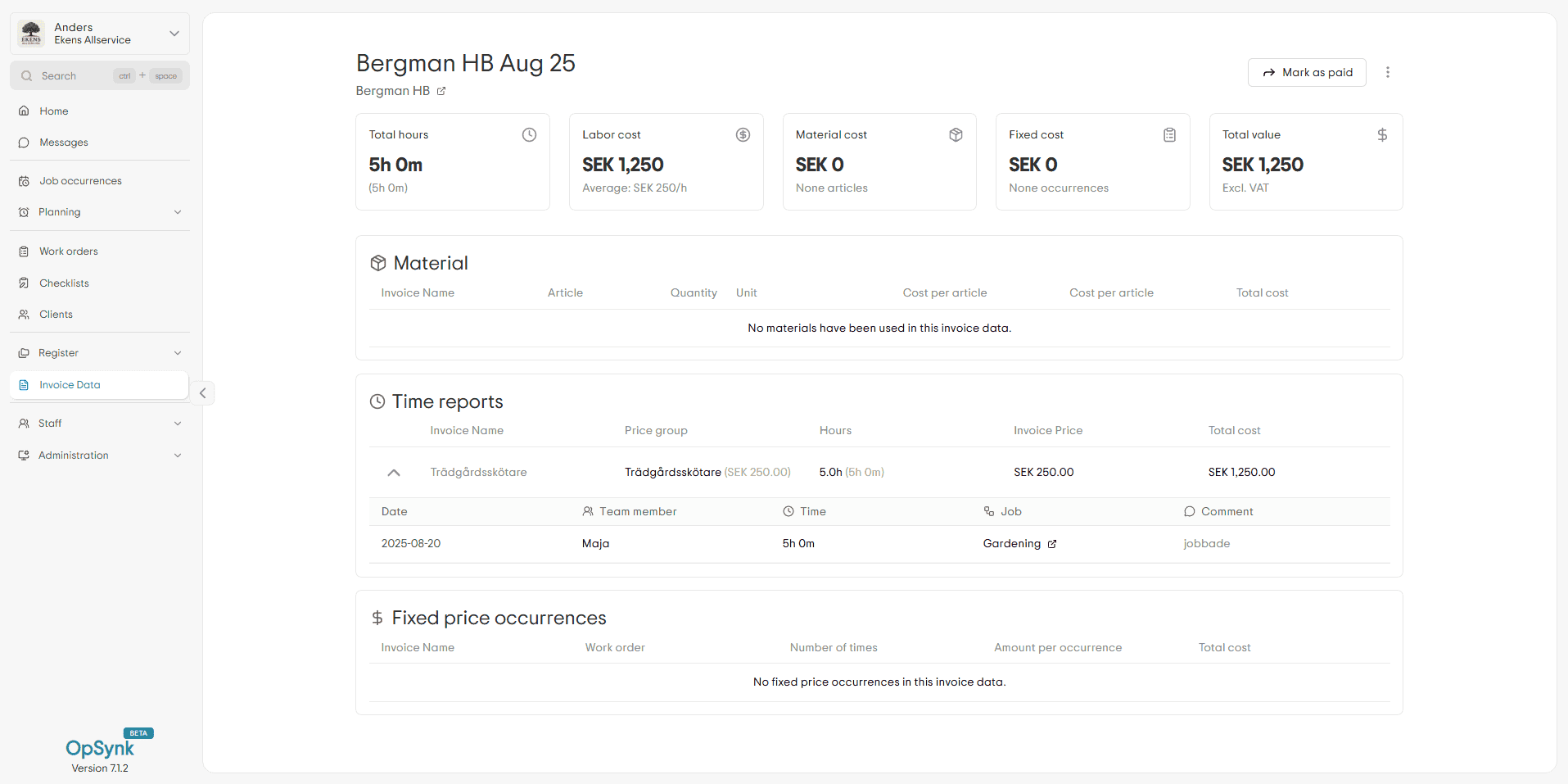
Invoice basis in the OpSynk web app with hours, materials and the total for a client
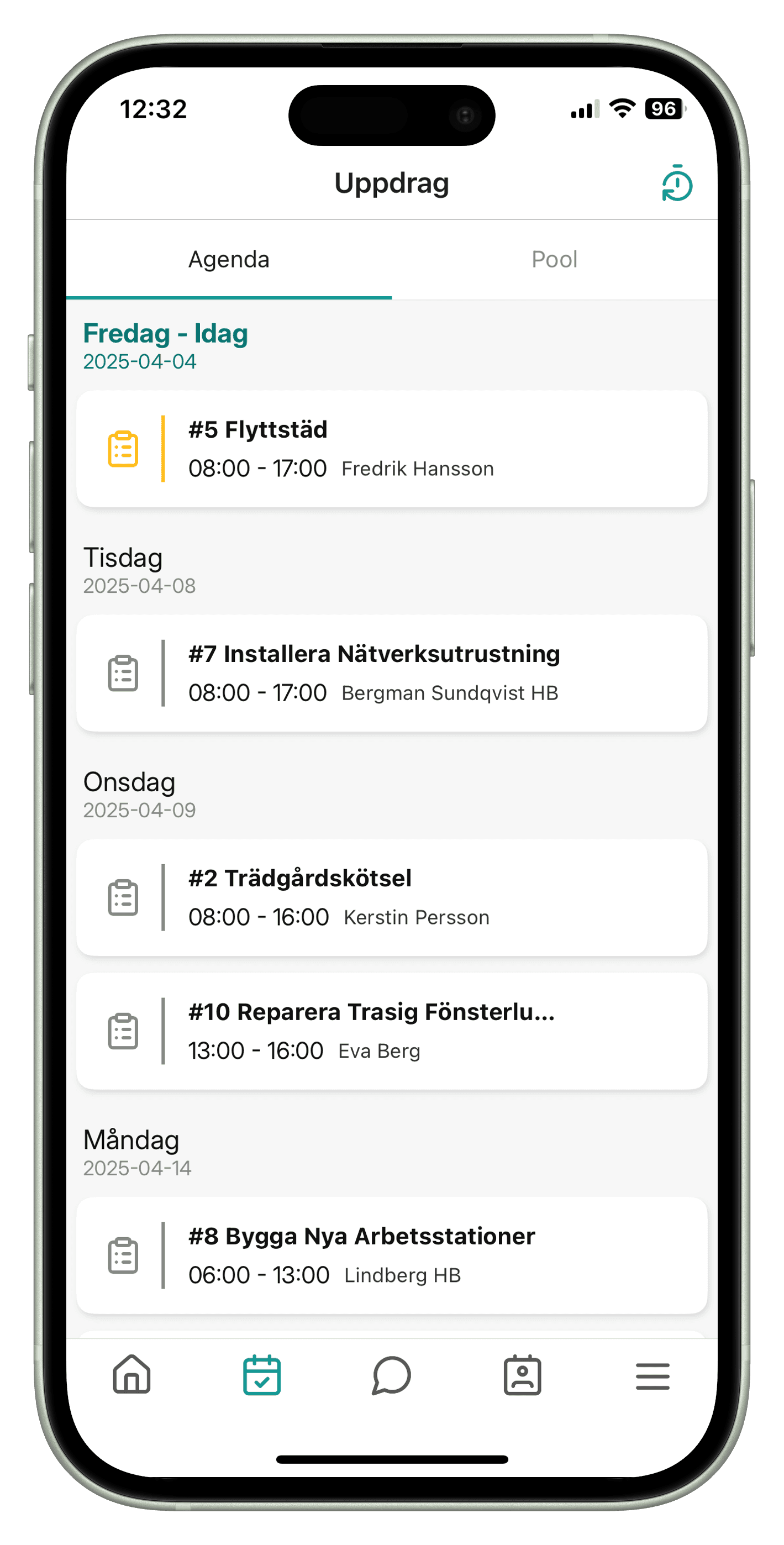
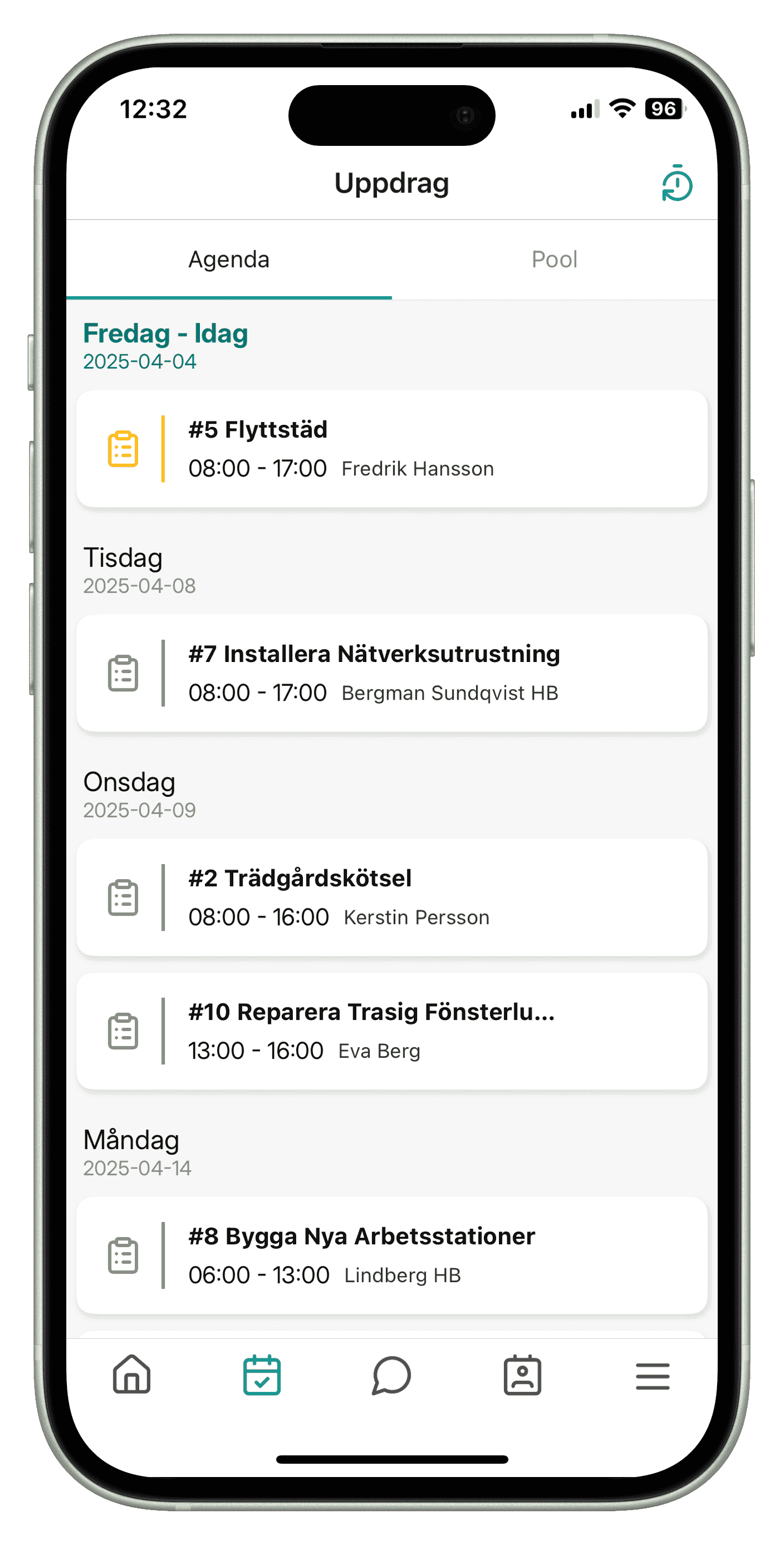
Screenshots from the OpSynk web app and mobile app.

Built for service companies in

Less admin, more time on the job

OpSynk keeps planning, completed work and invoicing data in one place, so nobody has to copy notes or chase hours at the end of the month.

  1. Time and materials are logged where the work happens

    Your team starts and stops the timer on the job and adds materials in the app. When the job is done the data is already there, and you create the invoice basis without retyping anything.

  2. The same picture in the field and the office

    Move a job in the schedule and it updates in the worker's app at once. Tick off a task in the field and the office sees it in the web app. No more phone calls to check status.

  3. Everything stays on the job and the client

    Photos, notes, deviations from inspection rounds and reported time are saved on the work order and the client, so you can show what was done months later.

Four parts that work together

Work orders, inspection rounds, client records and scheduling in the same system, so what you plan, deliver and invoice is the same thing.

Work order in the OpSynk web app with tasks, status, assigned staff, client and map

Work orders

Create, schedule and follow up work orders all the way to the invoice basis

Split the job into tasks, assign your team and follow the status while the work is under way. Time, materials and photos are logged in the mobile app and land on the work order, so the invoice basis is right from the start.

How the work order app works
Completed inspection round in the OpSynk web app with checkpoints, status and deviations

Inspection rounds

Run inspection rounds on your phone and share the report with your client

Build your own checklists, tick off checkpoints on the phone and document deviations with a comment and photo. The client gets the report through a link without logging in, and deviations become work orders in one click.

How inspection rounds work
Client page in the OpSynk web app with the client's jobs and tabs for time, areas, contacts and files

Client records

Clients, contacts and the full history in one place

Each client keeps its jobs, contacts, documents, notes and map zones together. Your team sees what they need in the app, and you can import existing clients from a CSV file.

Read about client records
Invoice basis in the OpSynk web app with hours, materials and fixed prices

Scheduling

Schedule staff and jobs with drag and drop

Set up recurring jobs every week, month or year, drag unscheduled jobs from the pool to the right day and see the whole week per employee. Changes appear on phones straight away.

Read about scheduling for field service teams
  • PDF export

    Download work orders, inspection rounds, invoice basis and quotes as PDF.

  • Inspection report by link

    Share a completed inspection round with your client through a link. They see checkpoints, deviations and photos without an account.

  • Add-ons

    Turn on inspection rounds, clock-in and quotes when you need them.

  • Client import

    Import existing clients and employees from a CSV file.

What Vift Fastighetsservice says about OpSynk

“OpSynk has streamlined our planning with smooth user scheduling and the ability to easily link time and materials to work orders. Everything is then transferred to the invoice without hassle. The ability to automatically create recurring events saves us both time and manual work. A user friendly system that truly makes our daily work easier.”
Vift Fastighetsservice logoLucas, Vift Fastighetsserviceviftfast.se(opens in a new tab)

How a job goes from client to invoice basis

The walkthrough shows the whole flow in OpSynk: the client is set up, the job is scheduled, the team carries it out in the app and the office creates the invoice basis. Play it or click through the steps.

Steps in the walkthrough

  1. Set up the client and draw zones on the map
  2. Create the work order and schedule the visits
  3. The team gets the job in the mobile app
  4. Time, materials and photos are logged on site
  5. Create the invoice basis

Animated walkthrough of OpSynk: create a client and zones on the map, set up a work order with repeating occurrences, schedule workers, log time and material in the mobile app with real-time sync, and turn the work into invoice data.

Try it yourself

One click gives you your own demo account in the browser. It starts empty, so you can add clients, jobs and inspection rounds and see how it works.

  • Create and schedule work orders
  • Schedule staff in the calendar
  • Add clients and contacts
  • Build inspection rounds with your own checklists
  • Create an invoice basis

The app your team uses

Your team sees today's jobs, starts and stops the timer, logs materials, takes photos and chats with the office. Addresses open in the phone's maps app, and new or changed jobs arrive as push notifications.

  • App Store – opens in a new tab
  • Play Store – opens in a new tab
The OpSynk mobile app showing today's jobs

What is OpSynk?

OpSynk is a system for service companies that do jobs at their clients' sites. The office plans work orders and inspection rounds in the web app, the team carries them out in the mobile app, and everything syncs instantly between them.

Time, materials and fixed prices add up to an invoice basis, and completed inspection rounds can be shared with the client through a link.

Who is OpSynk for?

OpSynk suits small and mid-sized service companies with recurring jobs at many clients, such as property services, gardening and landscaping, snow clearing and cleaning.

The system is available in Swedish and English, and we build it in Sweden together with the companies in our beta programme.

Common Questions

Answers to the questions we hear most: what OpSynk does, who it suits and how to get started.

Common questions about OpSynk

What is OpSynk?

OpSynk is a system for service companies with work orders, inspection rounds, scheduling and client records. The office works in the web app and the team in the mobile app, and changes sync instantly between them. When a job is done, time, materials and fixed prices add up to an invoice basis.

Which companies is OpSynk for?

OpSynk suits service companies that do jobs at their clients' sites, often on a recurring basis, such as property services, gardening and landscaping, snow clearing and cleaning. It is built for small and mid-sized companies that want to replace paper, spreadsheets and phone calls.

Does the app work on both Android and iOS?

Yes. The mobile app is available for iPhone and Android from the App Store and Google Play. The office uses the web app in the browser. The app needs an internet connection to sync.

Can we try it for free?

Yes. Click the demo button and your own empty demo account opens in the browser, with no sign-up. If you want to use OpSynk in your business, you can apply to our beta programme.

How much does OpSynk cost?

OpSynk is in beta and there is no public price list yet. Email support@opsynk.com or apply to the beta programme and we will tell you what applies to you.

How do we get started?

Try the demo to see how the system works, then apply to the beta programme or email support@opsynk.com. You can import existing clients and employees from a CSV file, so you do not have to enter everything by hand.

OpSynk Beta

Help shape the system for service companies.

Join Our Beta Program

OpSynk is in beta. As a beta company you use work orders, inspection rounds and scheduling day to day and help decide what we build next.

Request Beta Access