
Scheduling software for service companies – plan staff and jobs
OpSynk is scheduling software for service companies: plan jobs and staff with drag and drop, and every change shows up straight away in your team's mobile app.

Plan jobs and staff with drag and drop
Scheduling in OpSynk is done by hand, by the people who know the clients and the team. The system does not work out a schedule for you; it makes it quick to see where things stand and move them when plans change. You work in three views:
Planning calendar
All scheduled jobs together in one calendar. Drag a job to another time or day to reschedule it.
Employee planner
A grid with one employee per row and one day per column. See who is fully booked and who has gaps, and drag jobs between people.
Job pool
Unscheduled jobs wait in a pool until you drag them into the calendar or onto an employee. Employees can see the pool in the app too.
Each occurrence can be assigned to one or more employees. If someone calls in sick, open the employee planner, see which jobs are affected and drag them to a colleague with room, or put them back in the pool.
Recurring jobs and seasons
Most service companies do the same jobs for the same clients again and again. Set a job up as recurring once, with a frequency and an interval, and its occurrences are created for you: every week, every second or third week, every month or every year.
A recurring job has a start date and can have an end date, which makes seasonal work easy. Lawn mowing and garden care can run weekly from spring to autumn and then stop on their own. For winter, set up the regular checks of paths and entrances, and keep call-outs for snowfall in the job pool to hand out when it starts snowing. See how this works for gardening and landscaping companies.
Changes show up on the phone straight away
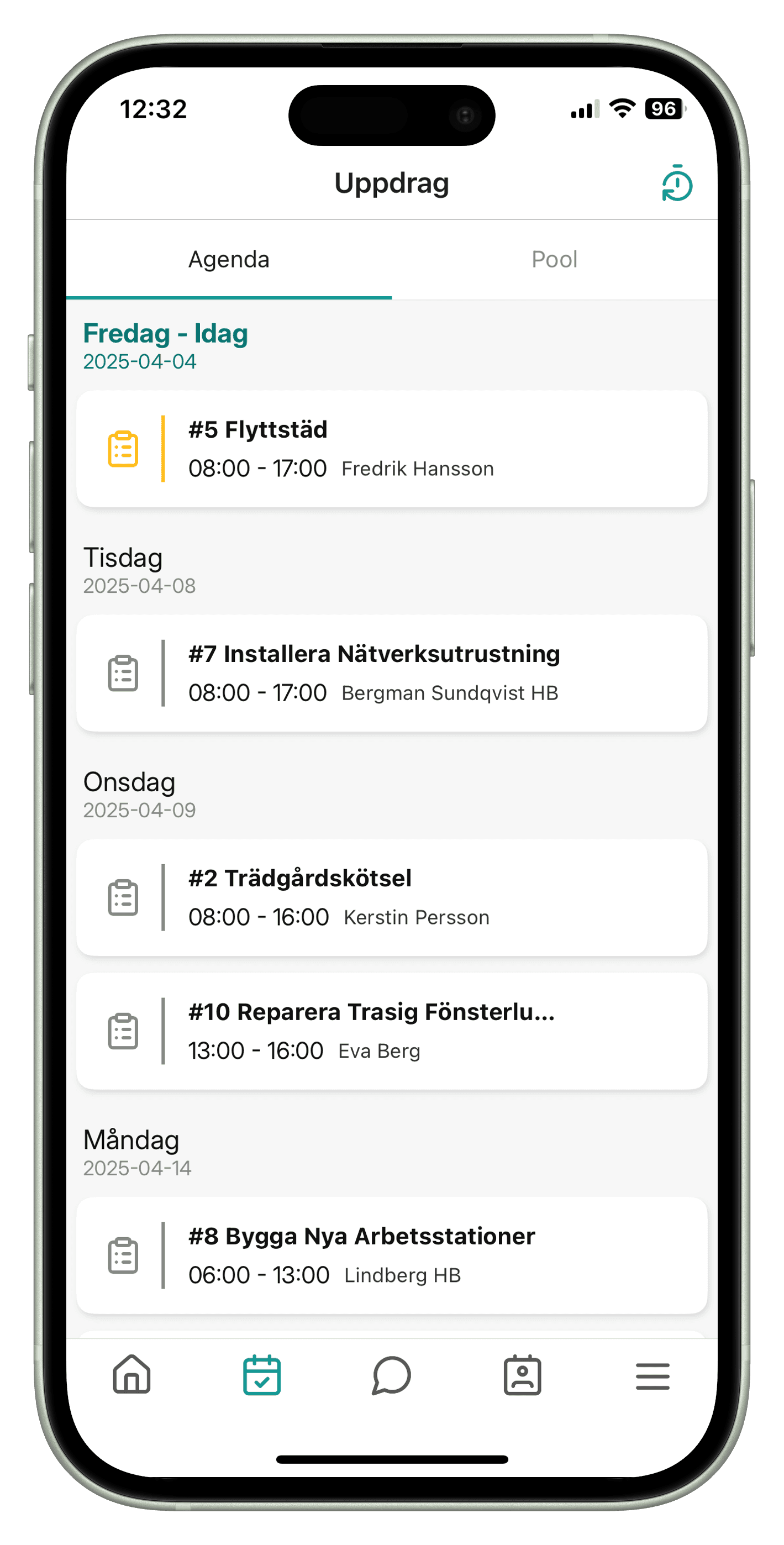
When you move a job, the change appears straight away in the employee's iOS or Android app. Employees get a push notification in the app about new and changed jobs, and see their jobs per day with time, client and address.
It works the other way too. When an employee starts time reporting, ticks off tasks or completes a job, the office sees it in the web app without reloading. For questions, there is a built-in chat between office and field.
From schedule to work order and report
In OpSynk the scheduled job and the work order are the same thing, so there is no extra step between the schedule and the work.
Plan
Put the job in the calendar or the employee planner and assign staff.
Do the work
The employee opens the work order in the app, follows the tasks, takes photos, reports time and logs materials.
Follow up
The office sees the status of each task and who completed the job and when. The work order can be downloaded as a PDF.
Invoice
Time, materials and fixed prices are collected into an invoice basis that you track from not sent to sent and paid.
With the inspection rounds add-on, rounds are planned like other jobs, and deviations found on a round become work orders you schedule the same way. See inspection rounds.
Resource planning for smaller service companies
Resource planning means making sure the right person does the right job at the right time, without anyone being overloaded or left idle. In a small service company it is often the owner or a supervisor who plans, between everything else, so what matters most is that planning is quick and everyone sees the same thing.
A simple way to start: import clients and employees from a CSV file into your client records, set up the weekly and monthly jobs first, spread them across the team in the employee planner, and leave one-off jobs in the pool until you know when they will be done.
Frequently asked questions
What is resource planning in simple terms?
Resource planning is about allocating people and time to the jobs that need doing, so the right person is in the right place at the right time. In a service company that usually means sharing jobs between employees day by day.
Can we schedule recurring jobs?
Yes. A job can recur every week, month or year, with an optional interval such as every second week. It has a start date and can have an end date, which suits seasonal work.
Do employees see changes on their phones straight away?
Yes. Changes appear straight away in the iOS and Android app, and employees get a push notification about new and changed jobs. The app needs an internet connection.
Can OpSynk optimise routes or schedule automatically?
No. Scheduling is done manually with drag and drop. OpSynk has no route optimisation, no automatic scheduling and no vehicle planning.
How much does OpSynk cost?
OpSynk is in beta and has no public price list yet. Contact support@opsynk.com or join the beta to find out more, or try a demo in your browser.
Try the planner yourself
Open a demo account in your browser and schedule your first jobs.